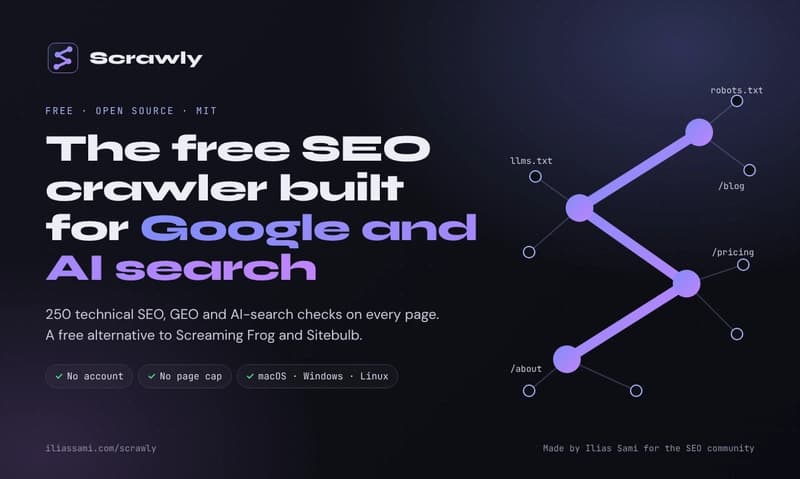
What it checks, how it works, how to install it, and how agencies can use it for technical SEO and GEO audits. Agency clients now ask me a question classic crawlers cannot answer: "We rank on Google. Why does ChatGPT never mention us?" Oft...
What it checks, how it works, how to install it, and how agencies can use it for technical SEO and GEO audits.
Agency clients now ask me a question classic crawlers cannot answer: "We rank on Google. Why does ChatGPT never mention us?"
Often the cause is technical, and invisible. robots.txt allows every AI crawler, but a CDN or firewall turns those crawlers away. robots.txt says yes. The server says no. The crawlers I paid for did not check both.
That gap is why I built Scrawly: a free, open-source desktop SEO crawler and site audit tool for macOS, Windows and Linux. It audits a website for the technical issues that affect Google rankings and visibility in AI search tools like ChatGPT, Perplexity and Google AI Overviews.
Version 1.0.0 went public on October 6, 2026, under the MIT License. There is no account, no licence key and no page cap. This article covers everything: what Scrawly checks, how it scores, how to install it, how to run your first audit, and how agencies can use it.
What is Scrawly?
Scrawly is a local-first, open-source technical SEO crawler and audit platform engineered without artificial URL limits or licensing paywalls. Built from the ground up as a robust free screaming frog alternative software, Scrawly provides search professionals and technical architects with enterprise-grade crawl diagnostics, JavaScript rendering evaluation, and site architecture mapping right on their local machine. Beyond replacing traditional desktop crawlers, it functions as a modern, free Sitebulb alternative, pairing comprehensive technical issue categorization with AI-readiness auditing and native Model Context Protocol (MCP) integration. For teams seeking a transparent, community-driven screaming frog alternative, Scrawly delivers full crawl data sovereignty without the enterprise subscription tag.
It runs on your own computer. Audits are saved in a local database, not in someone else's cloud. The engine is written in Python and opens in a native window.
Think of it as a site crawler and a patient SEO teacher in one window.
Why search needs a different kind of audit
Search now has two front doors.
The first is Google. Classic technical SEO still decides whether your pages get crawled, indexed and ranked.
The second is AI answers. ChatGPT, Claude, Perplexity and Google AI Overviews read the web through their own crawlers. If those crawlers cannot reach or read your pages, you cannot be cited. No amount of content fixes that.
Most crawlers were built for the first door only. Scrawly checks both in the same crawl.
One honest note: Scrawly does not track rankings or citations inside AI answers. It audits the technical signals that decide whether AI systems can reach, read and understand your pages. Access comes before citations.
The 250 checks, area by area
Scrawly groups its 250 checks into 23 areas. Counts are unique check IDs in the source code.
Crawlability and indexability (15): robots.txt blocks, noindex in meta and headers, conflicting index signals, orphan URLs, pages more than 4 clicks deep.
Response codes and redirects (14): 4xx and 5xx pages, soft 404s, broken internal links with sources, redirect chains and loops, 302s that should be 301s.
Canonicalization (11): missing, conflicting or relative canonicals, and canonicals that point at redirects, noindex pages or change after JavaScript runs.
Titles, meta and headings (21): missing and duplicate titles, pixel-width truncation, thin meta descriptions, H1 problems, heading order, Open Graph.
Content quality (12): exact and near duplicates, thin content, keyword cannibalization, placeholder text, missing dates.
Internal linking and architecture (12): orphans, single-inlink pages, generic anchors, links to redirects, links that only appear after JavaScript.
External links (6): broken or redirecting outbound links, plain HTTP, missing rel sponsored or ugc, unsafe target=_blank.
Images and media (11): missing or long alt text, images over 100 KB, missing dimensions, no WebP or AVIF, lazy-loading issues.
Hreflang (8): missing return tags, invalid codes, x-default, mismatches between HTML, headers and sitemaps.
Structured data (15): invalid JSON-LD, missing required properties, @id conflicts, Organization, Breadcrumb, Article, Product and FAQ markup.
XML sitemaps (10): broken sitemaps, noindexed or redirected URLs inside them, missing pages, size limits, stale lastmod.
Robots file directives (7): "Disallow: /" site-wide, blocked CSS and JS, wildcard mistakes, missing Sitemap line, high crawl-delay.
Security (10): HTTPS, mixed content, HSTS, expiring certificates, security headers, version leaks.
Performance and Core Web Vitals (14): LCP over 2.5 s, INP over 200 ms from field data, CLS over 0.1, slow TTFB, render-blocking files, DOM size.
Mobile (7): viewport, tap targets, sideways scrolling, font size, mobile and desktop parity, intrusive pop-ups.
JavaScript rendering (6): content that only exists after rendering, and titles, canonicals or robots tags that change in the render.
Accessibility (9): a WCAG subset that helps SEO and AI agents: accessible names, ARIA, labels, contrast, language, landmarks.
AI search readiness, GEO (13): AI crawlers blocked in robots.txt or silently by a CDN or firewall, client-side-only content, weak answer structure, missing entity schema.
Agentic web and llms.txt (13): llms.txt quality, the accessibility tree agents read, layout shifts, whether agents can finish key flows.
URL hygiene (9): uppercase, unsafe characters, double slashes, URLs over 115 characters, session parameters.
Pagination (5): noindexed page 2+, page 2+ canonicalized to page 1, infinite scroll with no paginated URLs.
WordPress and HTML validation (17): indexed attachment and tag pages, Yoast and Rank Math both active, indexable staging, DOCTYPE, lang, charset.
Analytics and config (5): GA4 and Google Tag Manager tags, Search Console verification, favicon, 404 template, multiple homepage versions.
Some checks need extra data, such as JavaScript rendering, a PageSpeed Insights key, Search Console access or a WordPress site.
How Scrawly decides what matters most
A list of hundreds of issues is noise. Scrawly ranks findings so you fix the right things first.
Severity: every finding is Critical, High, Medium, Low or Info.
Coverage-aware severity: if at least 20% of your live pages share a problem, it moves up one level. At 40%, it moves up two. It needs at least 5 affected URLs, it stops at High, and it never creates a Critical on its own.
Precedence rules: a page that returns an error is not also flagged for a missing title. An exact duplicate is not also reported as a near duplicate. No double counting.
Site health score (0 to 100): it weighs the share of pages free of Critical or High issues, the share that can be indexed and the share that is not broken, minus a few points for serious site-wide problems. The dashboard and the report use the same model.
Authority (0 to 100): a PageRank-style score built from your own internal links. It shows which pages your structure really favours, not just raw inlink counts.
The AI search audit (GEO and AEO)
This is where Scrawly differs most from classic crawlers.
AI crawler access matrix
Scrawly tests 10 user agents: Googlebot, GPTBot, OAI-SearchBot, ChatGPT-User, ClaudeBot, Claude-SearchBot, PerplexityBot, CCBot, Google-Extended and bingbot.
For each one, it reads your robots.txt rules, then fetches your start page as that bot. If robots.txt allows the bot but the live fetch fails, Scrawly flags a silent block by your CDN or firewall. A robots.txt checker alone would miss it.
Training bots vs search bots
Blocking training crawlers such as GPTBot, CCBot, ClaudeBot or Google-Extended is a policy choice, so Scrawly reports it as Info.
Blocking AI search crawlers such as OAI-SearchBot, Claude-SearchBot or PerplexityBot is rated High, because it can keep your pages out of AI answers.
That distinction matters. Many sites block everything "AI" in one rule and lose search visibility they never meant to give up.
llms.txt checks
Scrawly checks whether /llms.txt exists, has a title and real links, and has not become a link dump. It flags files with more than 800 links and suggests 20 to 50 high-value links instead. It also notes when the optional llms-full.txt is missing.
Meta descriptions as AI context
A meta description is often the first thing an AI system reads about a page. Scrawly flags descriptions under 120 characters as too thin. With your own AI key, it can draft an entity-rich description from the page's own content.
Answers, entities and freshness
GEO checks also look for a direct answer before the context, a clear heading hierarchy, author and freshness signals, Organization and WebSite schema, and main content that only appears after JavaScript runs.
The agentic web readiness audit
AI agents are starting to browse, compare and buy on behalf of people. A separate Scrawly audit asks a simple question: can an AI agent discover, read, sign in to and buy from this site?
It runs 21 probes in 6 categories against your site root, at a fixed cost of about 25 requests, whether the site has 10 pages or 100,000.
Probes cover robots.txt AI rules, sitemaps, Link headers, Markdown negotiation, llms.txt, Content Signals, OAuth discovery, MCP Server Cards, A2A Agent Cards, Agent Skills, and agentic commerce protocols such as x402 and ACP. Commerce probes only count when the site really sells something, so a blog is never marked down for lacking a payment rail.
Every probe records the exact requests it made and what it concluded, so you can verify each verdict. The score maps to six levels:
Level 0: Not agent-ready
Level 1: Basic web presence
Level 2: Agent-discoverable
Level 3: Agent-readable
Level 4: Agent-operable
Level 5: Agent-native
Core features
JavaScript rendering: pages render in Playwright Chromium on desktop, then as a smartphone. Scrawly compares the raw response with the render, so you see what JavaScript adds, removes or changes.
Site Explorer: a spreadsheet view with tabs for Internal, Response Codes, Page Titles, Meta Description, H1, Directives, Canonicals, Content, Analytics, PDF and Custom. Every tab has filters with live counts.
Seven site graph layouts: including a 3D architecture map, crawl-depth tree, content clusters and redirect chains. Size nodes by authority, inlinks or words; colour them by status, issues or depth.
Custom extraction: pull any value from every page with CSS selectors, XPath or regex.
Platform presets: Scrawly detects WordPress, Shopify, Wix, Squarespace, Webflow, Framer, Next.js, React, Laravel, Drupal, Joomla, Magento or Ghost, and skips admin pages, carts and other crawl traps. Four built-in profiles cover quick checks up to full technical audits.
Compare crawls: resolved issues, new issues and regressions between two audits, plus URLs that appeared, vanished or changed title, canonical, status or indexability.
Scheduled audits: a script runs a new audit, compares it with the last one, and exits with code 2 if new Critical or High issues appear. Cron, Task Scheduler or CI can alert you. (The app must be open.)
Search Console and GA4: one read-only Google connection adds clicks, impressions, CTR and position, plus sessions, engaged sessions, views and conversions.
PageSpeed Insights and CrUX: add a free API key for Lighthouse lab scores and real-user Core Web Vitals.
White-label reports: a self-contained HTML report with your agency name, colour, logo and contact line. Save it as PDF, or export rows to CSV.
AI writer and audit assistant: bring your own key for Anthropic (Claude), OpenAI, DeepSeek, OpenRouter or any OpenAI-compatible service.
Fix prompts for coding agents: every finding has a copy-paste prompt that names the right file on your stack (WordPress, Next.js, Shopify, Astro, Hugo, Django, Rails, Cloudflare and more), with acceptance criteria and a check to verify the fix.
Also included: list mode, crawling behind a login form, PDF crawling, desktop and smartphone screenshots, and checks on the CSS, JS and media files each page loads.
Crawling is polite by default. Scrawly respects robots.txt, retries 429 and 5xx responses with backoff, then records them as findings instead of dropping them.
How to install Scrawly
You need Python 3.11 or newer (3.11, 3.12 and 3.13 are supported), git, and about 150 MB for a one-time download of the crawler browser. Node.js is not needed. If git or Python is missing, the installer adds them where it safely can, using Homebrew on macOS or winget on Windows.
macOS or Linux: open Terminal and run:
curl -fsSL https://raw.githubusercontent.com/IliasSami/scrawly-seo-crawler/main/install.sh | bash
Windows: open PowerShell and run:
irm https://raw.githubusercontent.com/IliasSami/scrawly-seo-crawler/main/install.ps1 | iex
The installer checks for git and Python, downloads Scrawly into a Scrawly folder in your home folder, creates a private Python environment, installs the crawler browser, and adds Scrawly to Applications, the Start Menu or your Linux app menu. Running the same command again updates an existing install.
On Ubuntu or Debian, if the window does not open, install these libraries:
sudo apt install libxkbcommon-x11-0 libxcb-cursor0 libnss3 libgbm1
Scrawly updates itself. Each time it opens, it checks GitHub and installs a new version only after the project's automated tests pass. Set SCRAWLY_AUTO_UPDATE=0 in the .env file to turn this off.
Your first audit, step by step
Start a quick audit. Click the Scrawly logo at the top of the left bar, paste any web address and click Analyze. You do not need to prove you own the site.
Let Scrawly pick the settings. It fingerprints the platform, shows how confident it is and applies a matching preset. A WooCommerce preset, for example, skips cart, checkout and admin URLs. You can still change the page limit, JavaScript rendering, robots.txt rules and sitemap discovery.
Watch the crawl. The live console shows progress, pages per second and the URLs being crawled. Scrawly only reads your pages. Nothing on your site changes.
Read the dashboard. See the health score, pages crawled, the indexable share, broken pages and total issues, with charts for severity, response codes and crawl depth.
Fix what matters first. Issues & Audits sorts findings by impact. Open one for the reason, the fix and the evidence. Click Pages for every affected URL, or Copy prompt for a fix prompt for your platform.
Tune titles for Google and AI. The Titles view measures titles and descriptions in pixels, because Google cuts snippets by width, not characters.
Check AI search readiness. Open the AI crawler matrix and the Agentic tab.
Share the report. In Reports, add your agency branding, then open the HTML report or click Print / Save PDF.
To keep history, compare crawls and schedule audits, add the site under Clients with + New Client, then run the crawl wizard: Target, Scope and Review & Launch.
Safe, reversible WordPress fixes
On WordPress, Scrawly can fix titles, meta descriptions, canonicals and 301 redirects through the Scrawly Connector plugin. Image alt text, H1s and anchor text get suggestions only.
Safety is built in:
A snapshot of the old value is saved before every change. Every fix can be undone.
Live changes always ask first: fix all pages, just the first page, or cancel.
Report-only issues are never applied automatically.
The plugin only writes title, meta description, canonical and robots fields, mapped to Yoast or Rank Math. It never edits files or post content.
If Yoast and Rank Math are both active, it refuses to write.
A per-site "Allow fixes" switch keeps the connection read-only.
To connect: in Scrawly, go to Clients, add the site and choose WordPress Connector. Download the plugin .zip, upload it under Plugins, Add New, Upload Plugin, and activate it. Copy the Connection Key from the new Scrawly menu, paste it into Scrawly and click Test connection.
The Connector is a single file of about 6 KB with no dependencies. It needs WordPress 5.6+ and PHP 7.4+, and no Application Passwords.
Not on WordPress? Shopify, Wix, Webflow, Next.js and custom sites get the full read-only audit, plus fix prompts for your developer or coding agent.
The MCP server: audits inside your AI assistant
Scrawly includes an MCP (Model Context Protocol) server. Claude Desktop, Claude Code, Cursor and other MCP clients can read your audits, explain findings and compare crawls. With your confirmation, they can also apply WordPress fixes.
It exposes 11 tools: list_crawls, get_issues, get_page_detail, propose_fix, diff_crawls, check_ai_access, run_lighthouse, generate_report, apply_fix, create_redirect and revert.
Nothing is written without an explicit confirm=True. A rollback snapshot is stored before every write, and manual-only findings are never auto-fixed. For read-only use, leave the WordPress credentials out of the config.
This turns an audit into a loop: crawl, ask your assistant what to fix, apply it, verify it, compare crawls.
Privacy by design
Scrawly has no accounts and no analytics. It only connects to the sites you audit, GitHub for updates, the services you set up yourself (PageSpeed Insights, Search Console, your AI provider), and the feedback service when you click Send.
The local engine listens only on 127.0.0.1 and accepts requests only from the Scrawly window.
Crawled content is always shown as text, never run as code.
API keys stay on your computer and go only to the service they belong to.
The Google connection is read-only, and its token is encrypted on your machine.
For agencies under NDA, this matters. Client data never leaves your machine.
Scrawly vs Screaming Frog and Sitebulb
Screaming Frog SEO Spider and Sitebulb are excellent tools. Scrawly is a free, open-source option for people who want a deep technical audit without a licence, plus dedicated checks for AI search.
Price: they need a paid licence or subscription (with a limited free tier or trial). Scrawly is free under MIT.
Account or licence key: needed for their full use. Scrawly needs none.
Page limit: their free tiers are capped. Scrawly has no cap.
AI search and agentic checks: some, depending on version. Scrawly has a dedicated set.
Fixes: report only. Scrawly applies safe, reversible fixes on WordPress.
Source code: closed. Scrawly's is open.
Already happy with a paid crawler? Run Scrawly next to it as a free second opinion, especially for AI search and agent readiness. Scrawly is independent and not affiliated with Screaming Frog Ltd or Sitebulb.
Who Scrawly is for
Agencies: white-label reports, a Clients list, crawl comparisons that prove progress, scheduled audits that catch regressions.
In-house SEO teams: Search Console and GA4 next to crawl data, release checks, and a CI-friendly script that fails on new Critical or High issues.
Freelancers: no licence and no page cap, so you can audit prospects and clients as often as you need.
Developers: fix prompts for your stack, a response-vs-render diff for JavaScript sites, the MCP server, and open Python source.
Why I made it free
I run a white-label AEO, GEO and SEO practice for digital agencies: the silent AEO & GEO infrastructure partner behind their client work. Across 228 projects and 100+ clients on Legiit (Level 3, 151 five-star reviews), and with partners like The Run Digital in Quebec and DigiLeads in Germany, I have paid for a lot of crawler licences.
Scrawly started as the tool I needed for my own audits. Once it worked, keeping it private made no sense. Open source lets anyone read exactly what each check does, and free removes every reason not to run a proper audit.
If you build on it, break it or want a new check, I want to hear about it.
FAQ
Is Scrawly really free?
Direct answer: Yes. Scrawly is free and open source under the MIT License, with no account, no licence key and no page cap.
Is Scrawly a Screaming Frog alternative?
Direct answer: Yes. It covers the core desktop crawler jobs, from JavaScript rendering to custom extraction and reports, and adds AI search checks, agent readiness scoring and reversible WordPress fixes.
Does Scrawly track my visibility in ChatGPT or Perplexity?
Direct answer: No. It audits the technical signals that decide whether AI crawlers can reach and read your pages. It does not track rankings or citations inside AI answers.
Which operating systems does Scrawly support?
Direct answer: macOS, Windows and Linux. It needs Python 3.11 or newer and git, and the installer can add both for you.
Does Scrawly change my website?
Direct answer: Not during an audit. It only reads pages. On WordPress, it can apply fixes through its Connector plugin, but only after you confirm, and every change can be undone.
Where is my audit data stored?
Direct answer: On your own computer, in a local database. Scrawly has no accounts and no analytics.
Can I use Scrawly with Claude or Cursor?
Direct answer: Yes. Scrawly's MCP server gives Claude Desktop, Claude Code, Cursor and other MCP clients 11 tools to read audits, compare crawls and, with confirmation, apply WordPress fixes.
Get Scrawly
Download and full guide: https://iliassami.com/scrawly
Source code (a star helps others find it): https://github.com/IliasSami/scrawly-seo-crawler
Product Hunt: https://www.producthunt.com/products/scrawly
Run it on a site you know well first. Then tell me in the comments: which check should Scrawly add next?